GUIDE · ELEKTRON DIGITAKT
HOW TO RECORD
DIGITAKT
PERFORMANCES
ON iPHONE.
The Digitakt groovebox is a class-compliant USB audio device. Change one setting, run one cable to the phone, and the mutes, the filter rides and the fill you will never play the same way again all land in one take.
LAST UPDATED 1 OCTOBER 2026
What you need
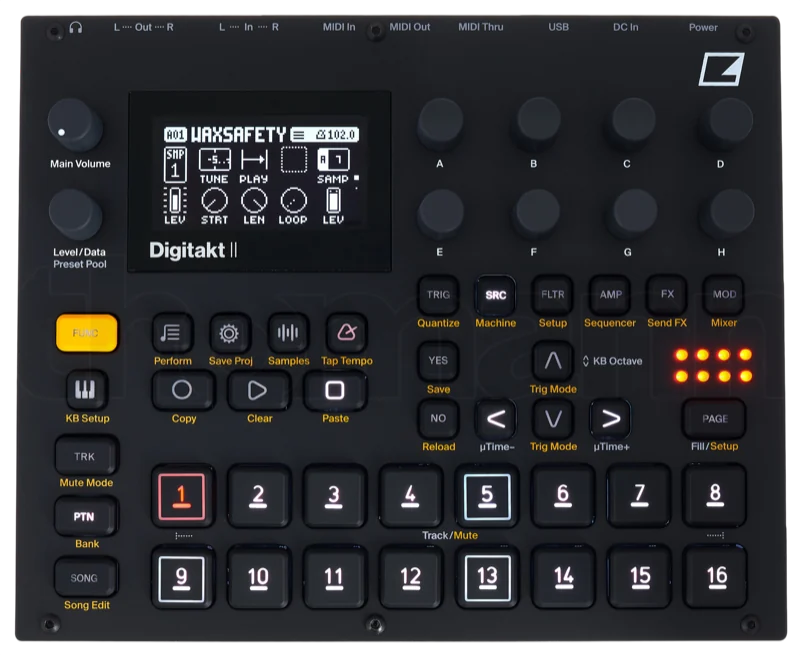
No interface, no laptop and no Overbridge. The cable needs a USB-C end for the phone and whatever end fits your Digitakt, and it has to carry data. Plenty of cables in a drawer only carry power.
Seven steps, one of them a menu
Recording the performance, not the pattern
Why record the pass
The patterns are saved on the Digitakt. The performance is not: the order you brought tracks in, the filter you rode on the snare, the mute you hit half a beat late. That only exists while you play it. Bouncing stems later rebuilds the patterns and loses the performance. Recording the pass as it happens keeps it.
Levels
The record path is 32-bit float, so a loud pass has no ceiling to clip against on the way into the phone. GAIN in REK. moves what you hear by ±12 dB and leaves the file alone. If the PK lamp lights, it latches so you know a peak happened; the take is still intact.
Distortion the Digitakt makes itself, from the overdrive or a hot master, is in the audio before it reaches the cable. If you can hear it on the machine, it will be in the take.
Hearing what you play
Monitoring is AUTO, ON or OFF. AUTO steps aside when you play a take back. If you would rather listen on the Digitakt’s own outputs, set monitoring to OFF and the phone stays quiet while it records.
Long sets
The free version records one minute per take, which is enough to prove the setup works. One payment of $9.99 lifts the limit for good. Takes stream from disk, so an hour-long set plays back as easily as a minute, and low storage warns rather than refuses.
When it does not work
The Digitakt does not appear as an input
Check USB CONFIG first. In Overbridge or USB MIDI mode the Digitakt sends no audio to the phone; it has to be USB AUDIO/MIDI. On the original Digitakt, the mode only exists from OS 1.20. After that, check that the cable carries data and not only power.
Do I need Overbridge?
No. Overbridge is Elektron’s software for Mac and Windows, and it does not run on an iPhone. For the phone, the Digitakt’s class-compliant USB AUDIO/MIDI mode is the one you want.
Something plugged into the Digitakt’s inputs is missing from the take
On the original Digitakt, audio arriving at the external inputs is not routed to the main mix that goes out over USB in class-compliant mode, so it never reaches the phone. Sample it into the Digitakt first, or record the Digitakt’s analogue outputs through a class-compliant interface instead. The USB audio guide covers that route.
Can I record each track separately?
No. Separate tracks over USB are an Overbridge feature, and REK. records the stereo performance as one take. That is the point: the performance is the mix you made by hand.
The take sounds distorted
If the PK lamp lit but the take sounds clean, nothing was lost: REK. records in 32-bit float, so there is no clipping ceiling on the way in. If you can hear the distortion on the Digitakt itself, it is in the audio before it leaves the machine. Check the overdrive and the master level.
Other guides
- A synth recorder for iPhone
- How to record your EP-133 on iPhone
- Record your groovebox without a DAW
- USB audio recording on iPhone
- Something else wrong? Support has the common situations and a human on the other end.

START
RECORDING.
Set USB AUDIO/MIDI, plug in, press the red one. There is nothing else to set up.

$9.99unlimited recording
Free1 minute per take